Enterprise Purchase
Approval Portal
Multi-Department Procurement — Ready-to-Deploy Demo
The Problem
Purchase Approvals Were Running on Email Chains and Spreadsheets
For most mid-size organisations, procurement approval is a process that technically works — right up until it fails. A request gets sent to a manager's inbox, sits there while they're travelling, eventually gets approved by reply, then needs to go to finance, who lost the original thread. A week later, someone raises a PO from memory.
The client had 6 departments raising purchase requests through a shared email alias. Finance had no live view of total pending spend. There was no way to enforce which category needed which level of approver. And when audits came around, reconstructing the approval trail from email archives took days.
Approval requests buried in shared email inboxes — no priority, no deadline visibility
Average 6+ day approval cycle for requests under ₹1 lakh — well above SLA
No enforcement of approval authority by spend threshold — any manager could approve anything
Audit reconstruction took days — email threads, forwarded attachments, and verbal confirms with no timestamp
Finance had no real-time view of committed spend — budget decisions were made from monthly reports, not live data
The Build
A Full Procurement Portal — Built on Power Apps and Power Automate in 6 Weeks
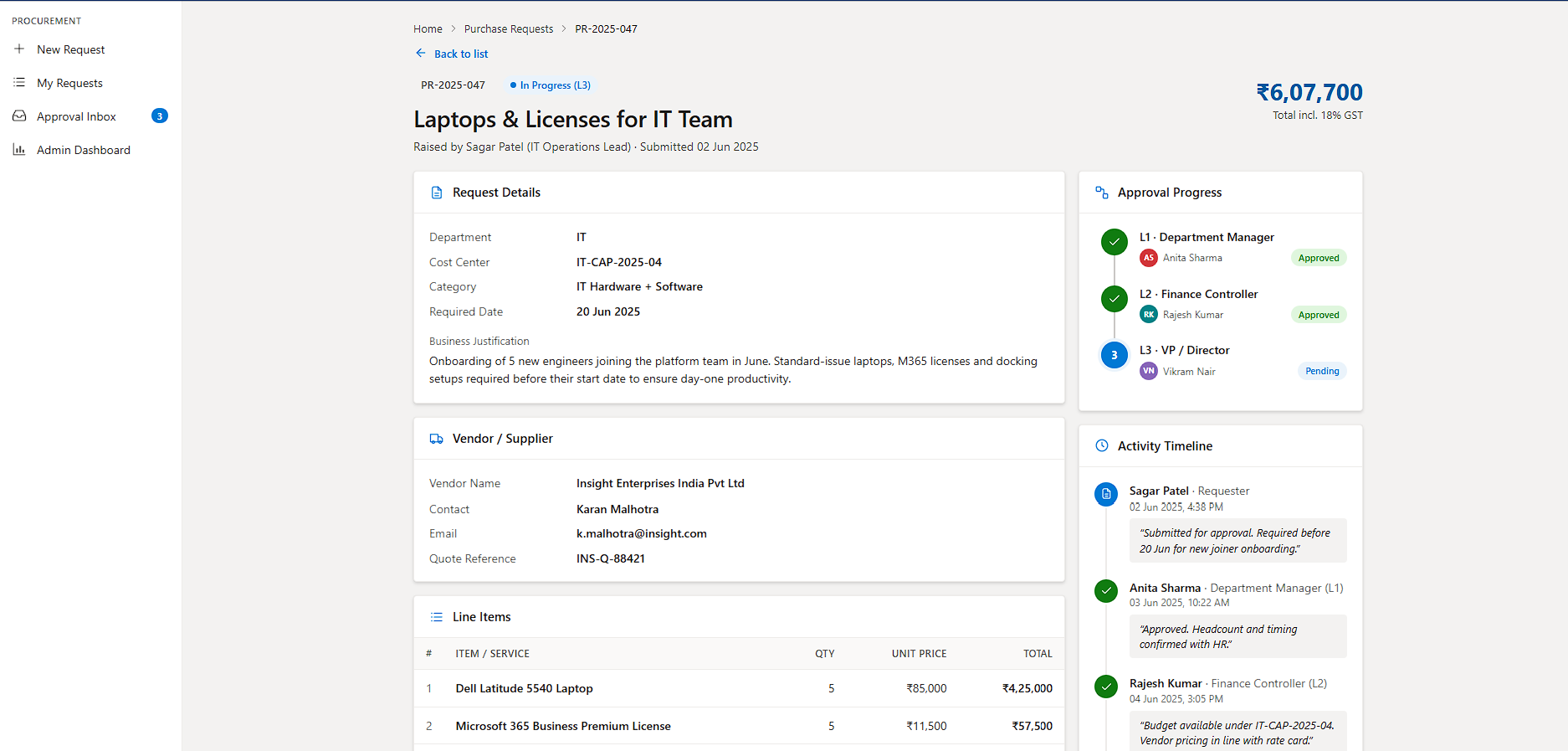
We built a four-screen Power Apps canvas application backed by SharePoint lists and driven by Power Automate approval flows. The portal handles everything from the initial request through multi-level approval to the final PO confirmation — with every action time-stamped and stored against the request record.
The approval routing engine is entirely value-based and automatic. The requester fills in the form. The system calculates the total, determines which approval tiers are required, and triggers the appropriate flow — no manual routing, no policy documents to check.
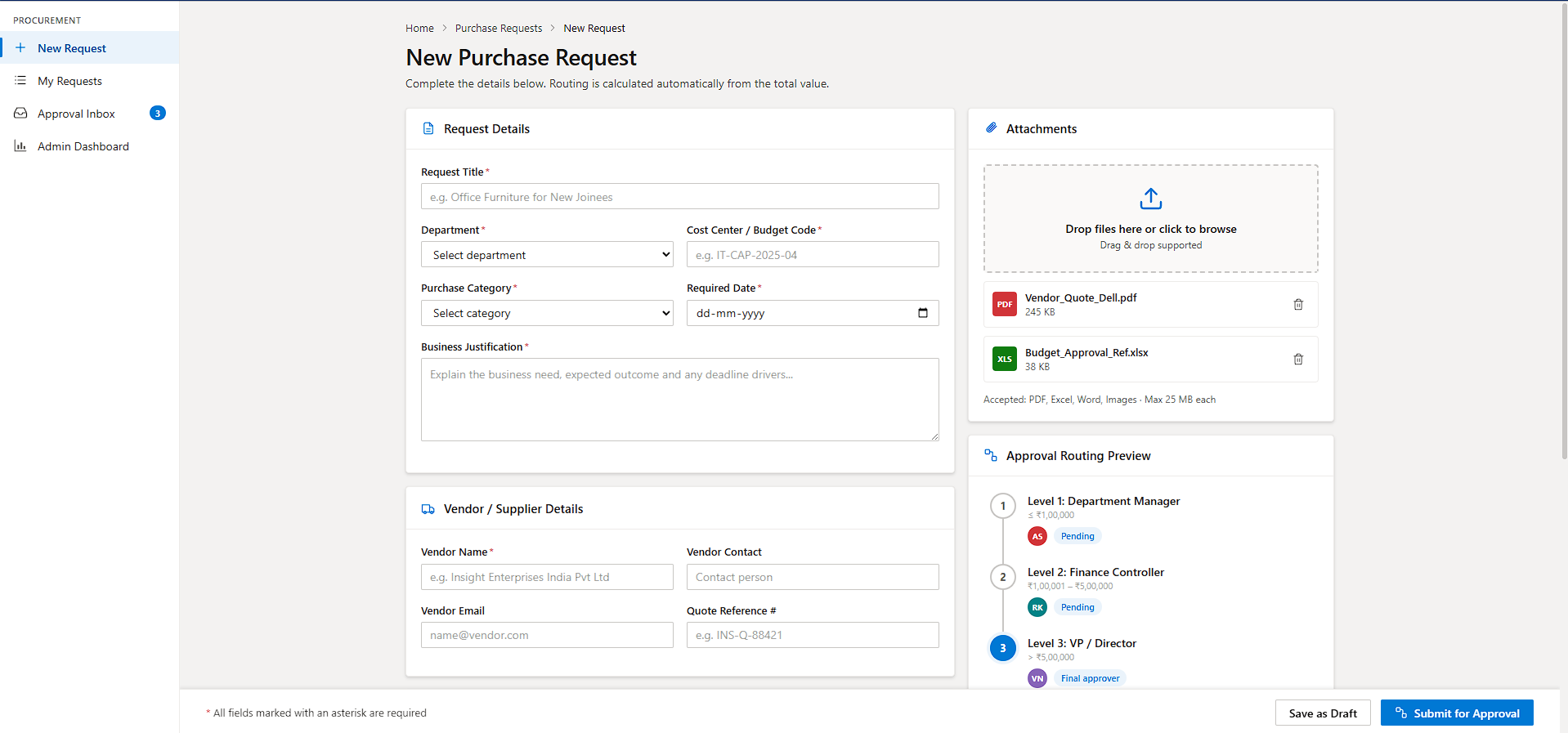
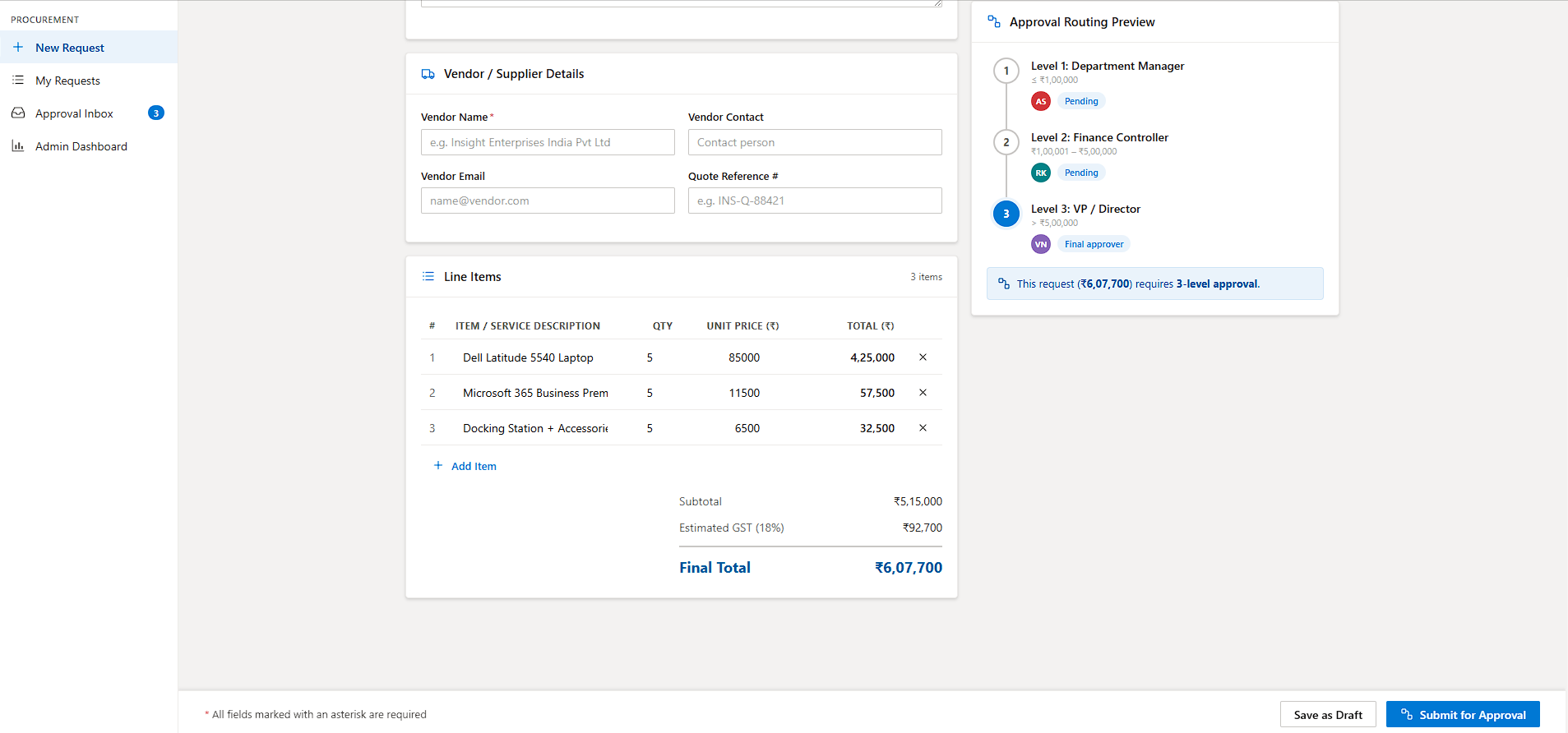
3-tier value-based routing — ≤₹1L goes to Department Manager (L1), ₹1L–₹5L adds Finance Controller (L2), above ₹5L requires VP sign-off (L3). Routing is automatic.
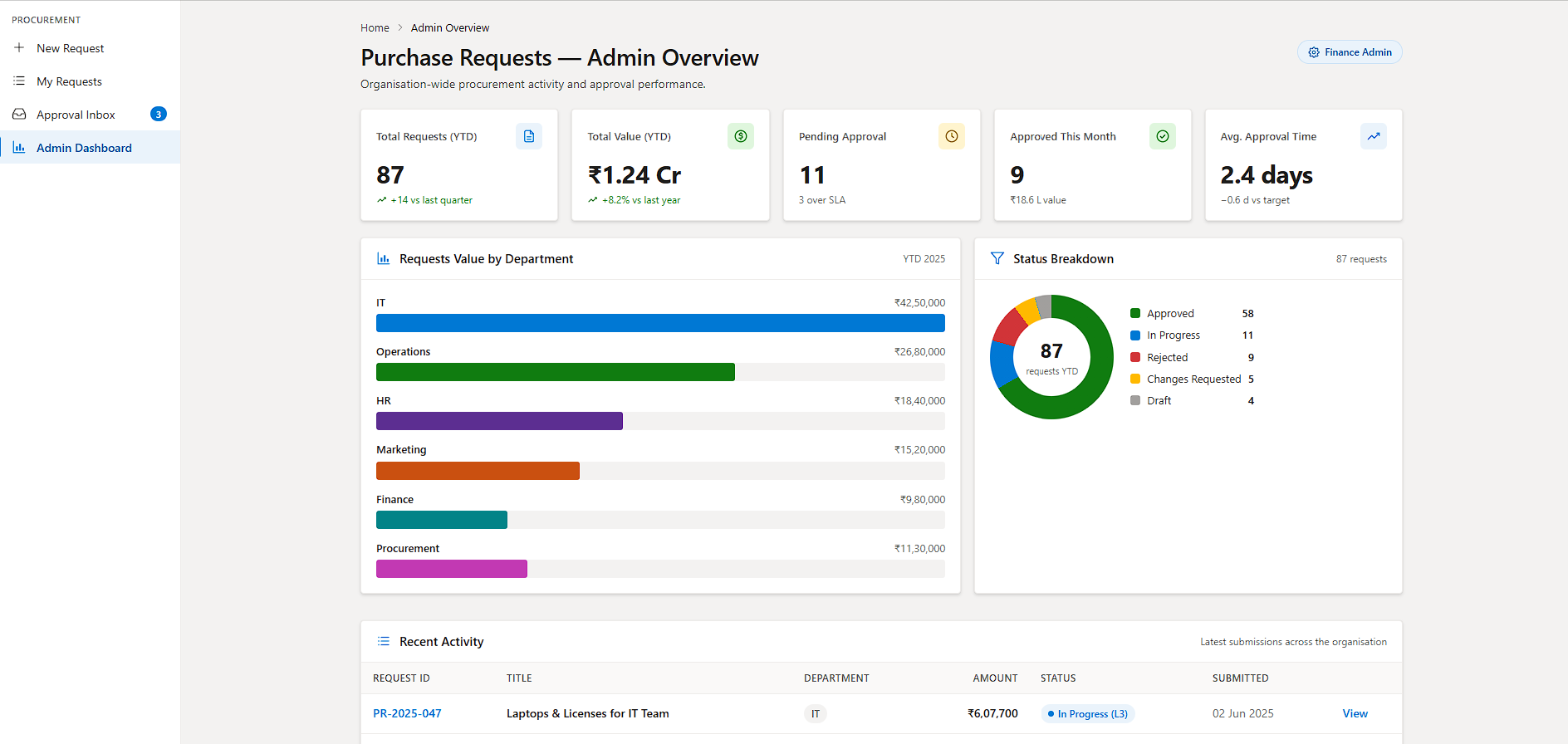
Live admin dashboard — finance and procurement admins see YTD totals, pending count, department spend breakdown, status donut, and recent activity — all in real time from the SharePoint data layer.
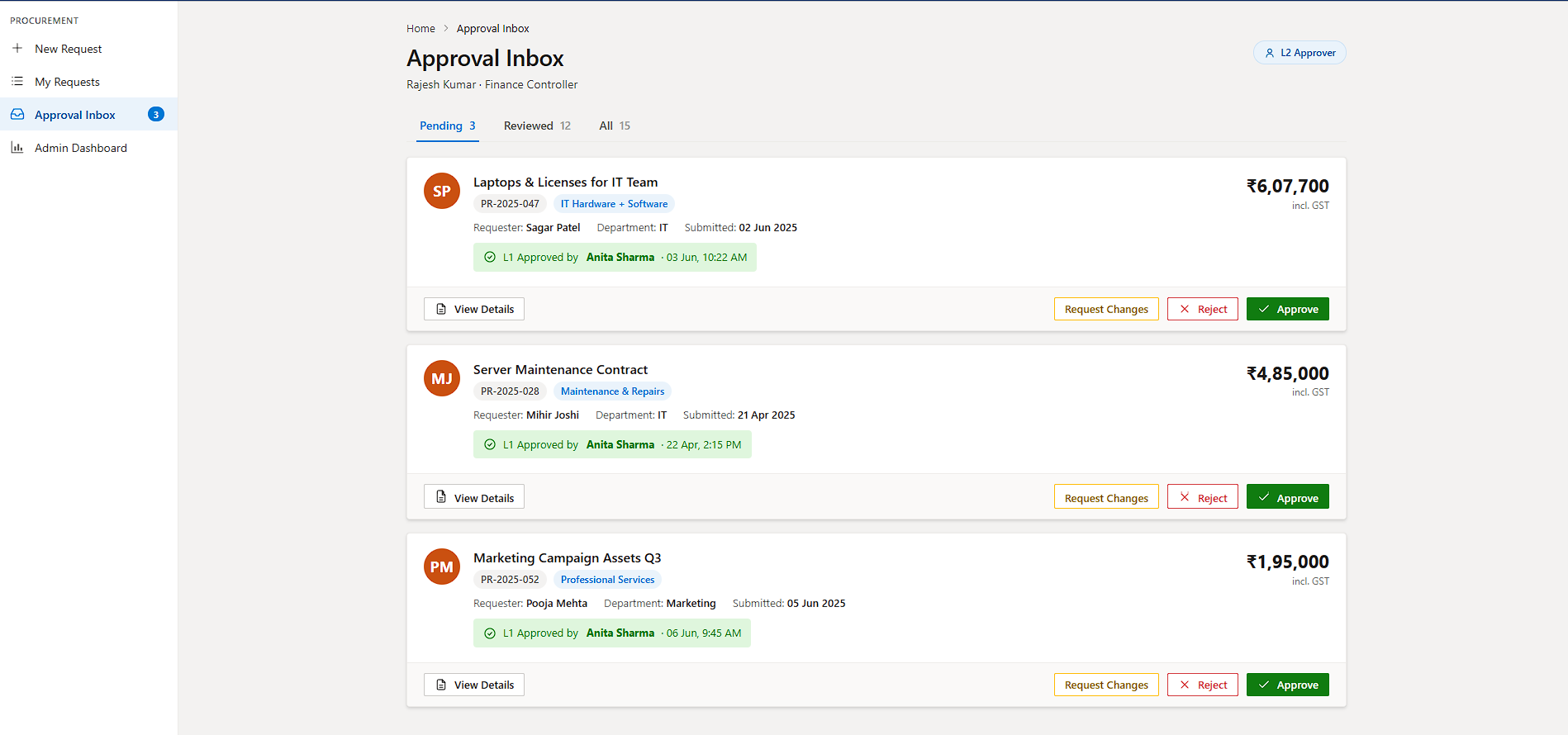
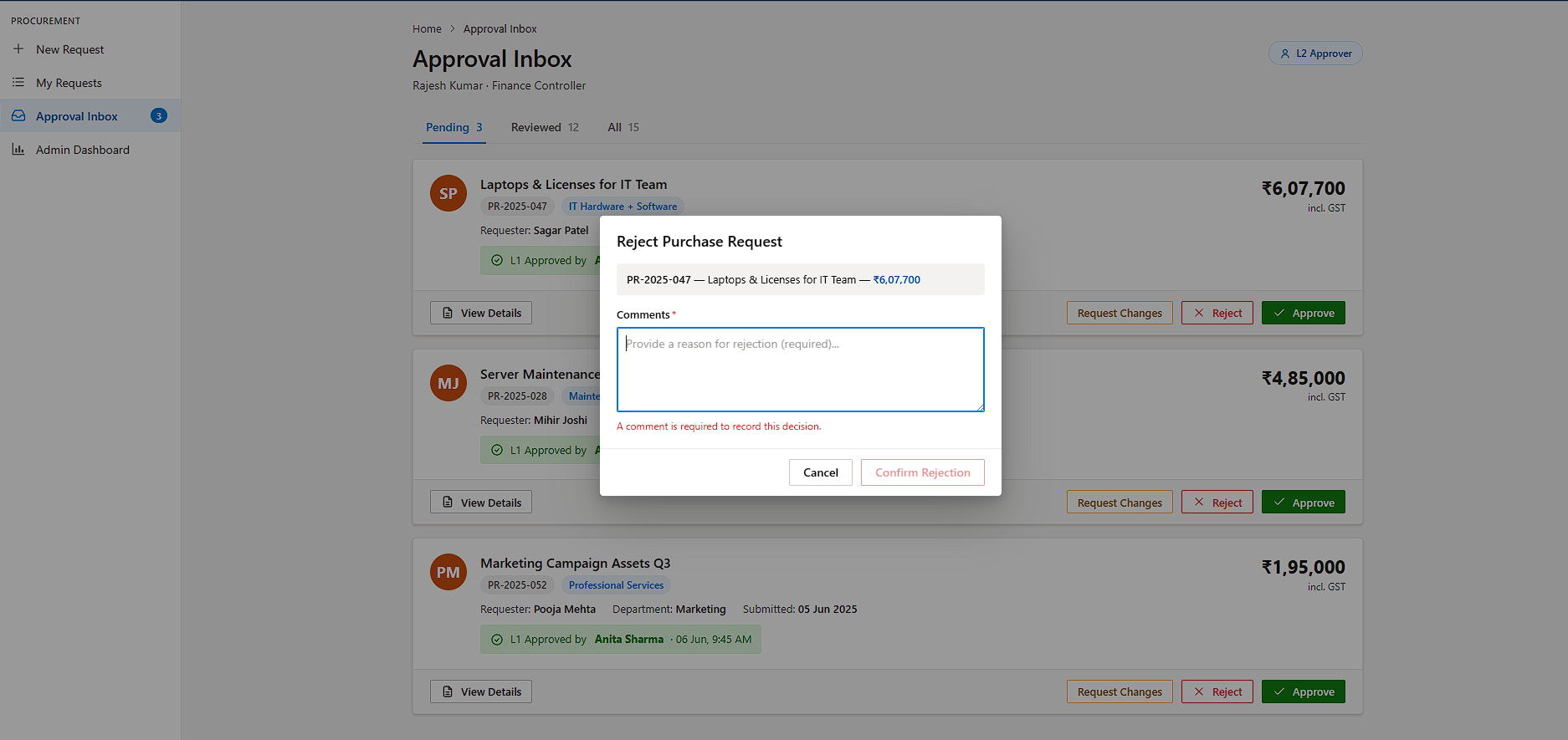
Approval Inbox with contextual actions — approvers see pending requests with L1 confirmation status, can Approve, Reject (with mandatory comment), or Request Changes without leaving the portal.
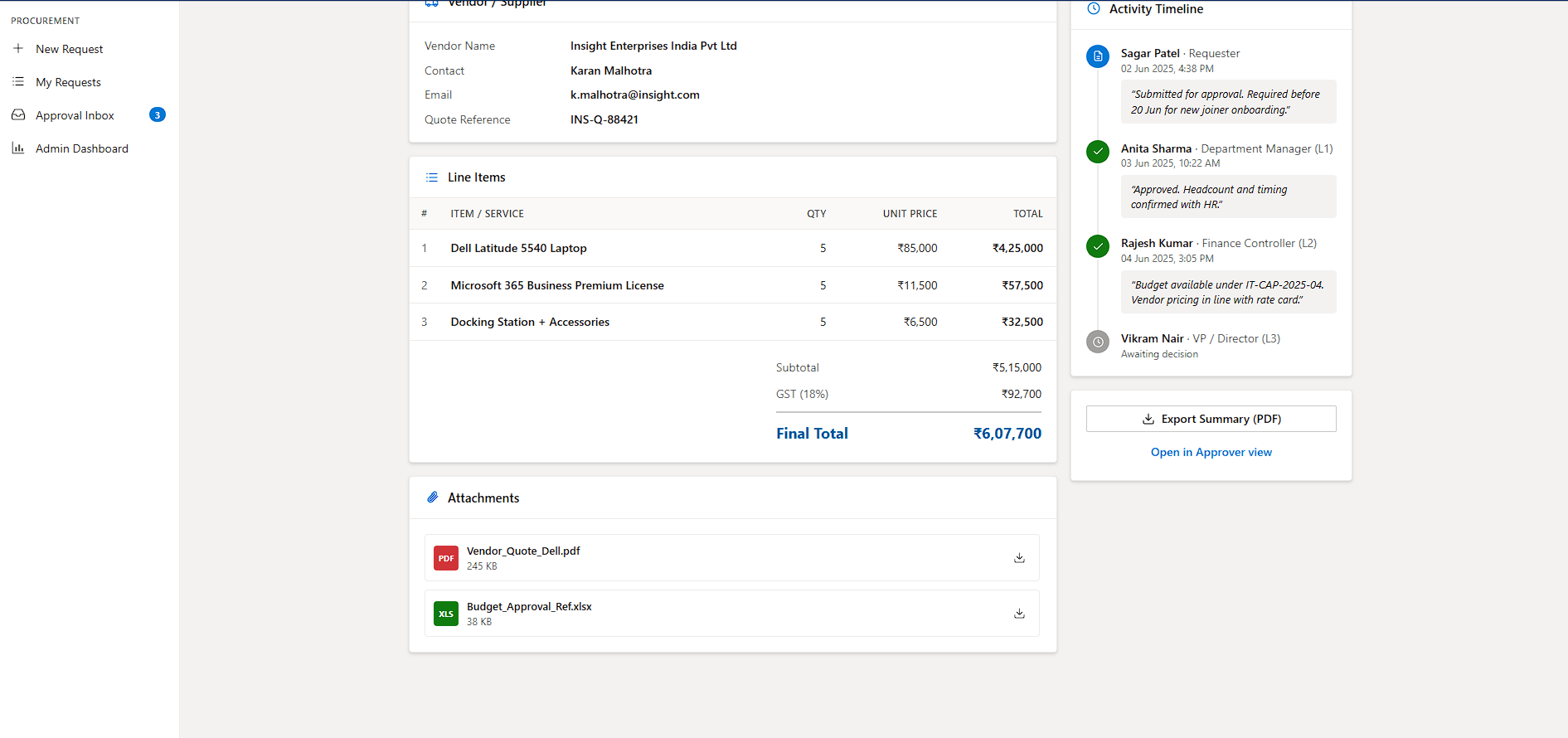
Line item entry with auto GST — requesters build itemised purchase lists with qty × unit price. The form calculates subtotal, 18% GST, and final total live. No external spreadsheets.
Document attachment — vendor quotes and budget references uploaded directly against the request. Stored in SharePoint document library linked to the request ID.
Full activity timeline — every action (submit, approve, reject, request changes) written to an Activity log list with user, timestamp, and comment. Audit export available in one click.
SLA tracking — overdue requests surface in the admin dashboard with "X over SLA" indicators. Configurable SLA per approval tier via a settings SharePoint list.
How the Routing Works
Request Submitted → Right Approver, Every Time
The approval chain is determined by the final total at submission time and runs sequentially — L1 must approve before the request moves to L2, and so on. A "Request Changes" decision pauses the chain and returns it to the requester for revision. Rejection at any level terminates the request immediately.
Requester Submits
Form validated. Auto-ID assigned (PR-YYYY-NNN). Power Automate flow triggered. Status → Pending.
Department Manager
Always required. Approves, rejects, or requests changes. Teams notification sent with Adaptive Card.
Finance Controller
Required for requests >₹1 lakh. Triggered only after L1 approval. Budget code verified at this stage.
VP / Director
Required for requests >₹5 lakh. Final approver. Approval triggers PO issuance notification to finance.
Fully Approved
Status updated to Approved. Requester and finance notified. Record locked in SharePoint.
App Screens
All Four Portal Views
The portal adapts to the logged-in user's role — requesters see My Requests and New Request; L1/L2/L3 approvers see their Approval Inbox; finance admins see the full Admin Dashboard.
Outcomes
From 6-Day Email Cycles to 2.4-Day Automated Approvals
The portal went live across all 6 departments simultaneously. Within the first quarter, procurement cycle times dropped significantly and finance reporting shifted from weekly exports to a live dashboard view.
Technology
The Stack That Runs It
Want This for Your Organisation?
We'll Build Your Procurement Approval System in 4–6 Weeks
This portal is configurable to your approval hierarchy, spend thresholds, categories, and Microsoft 365 tenant. We handle the full build — from SharePoint data model to flow testing to user training.